
TCGPlaytest
Custom printed individual cards and decks, with no minimum order. Loriginary may earn printing credits on qualifying referrals; the provider handles checkout.
Review Loriginary card-printing guide ↗ Open referral link ↗
Create a collectible, event handout, creator promo card or RPG deck. Design the front and back; then export print sheets or individual artwork.
Create physical cards for a collection, convention giveaway, character promotion, tabletop play, or a comic-launch campaign. Design locally, export actual-size front/back images, or arrange a home-print sheet.
Beta preview: No live payments, manufacturing, or shipping are enabled in this development preview. Manual exports remain local. The optional TCGPlaytest test widget loads only after explicit consent on a registered HTTPS origin.
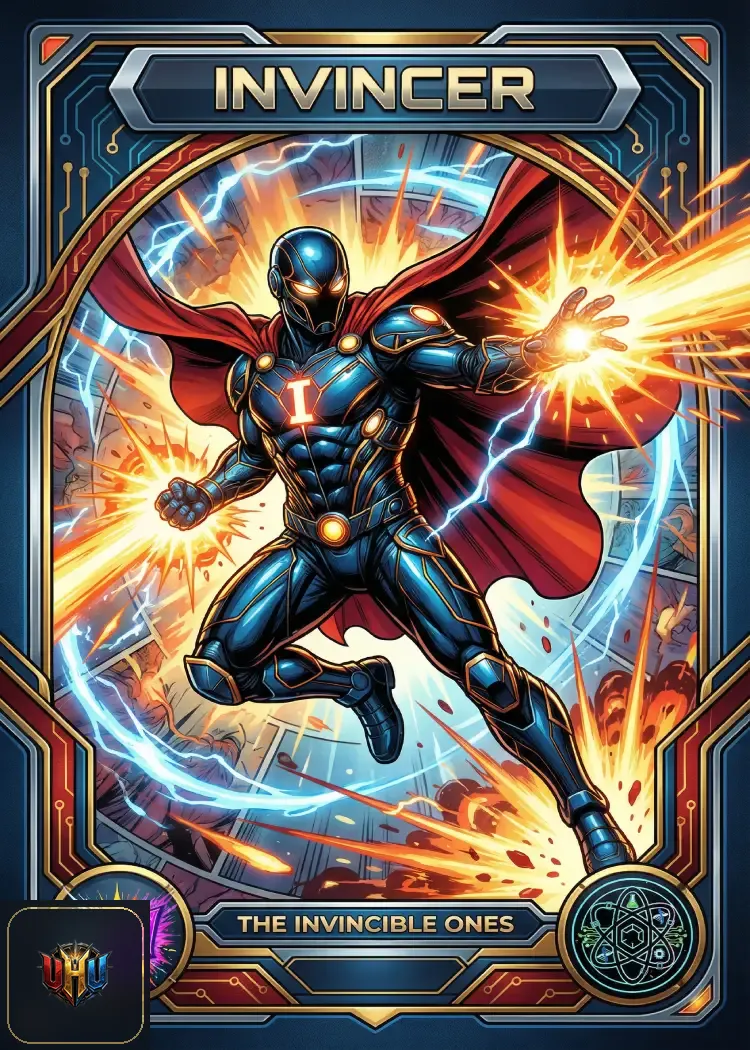
Start with artwork exported from Loriginary Card Forge, or choose any image you own the rights to reproduce.
Use the existing Export Front PNG and Export Back PNG buttons in Card Forge, then choose those files here. Artwork is not uploaded to Loriginary or to any print company.
Card trim 2.5 × 3.5 in. Individual PNG includes bleed.
Images are rendered at a 300 pixels-per-inch *pixel target*. PNG files may not carry 300-DPI metadata. Printer templates, stock, finish, rounded corners and required color mode vary.
When you have no finished back image, Loriginary builds a promotional back from your details. Upload an existing QR image if you want a scannable code.
For a QR code, generate and test it externally, then upload the PNG here. This Studio does not invent a fake QR code or send your URL to a QR service.
For a home PDF, choose Save as PDF in the print dialog, print at 100% / actual size, and disable automatic page fitting. Cut along the card outlines. Test one sheet before bulk production.
Prepare front and back PNGs for TCGPlaytest's published 63 × 88 mm card and 2 mm bleed per side (67 × 92 mm total artwork). The ZIP includes a requirements manifest. Nothing is uploaded or ordered.
Choose artwork and confirm printing rights before exporting.
Manual upload and checkout remain available. The optional public-ID widget is test-mode only, and is not connected until explicitly requested on a registered HTTPS origin. Server API ordering is not activated. Review official bleed guide. Final color, cutting, and print acceptance require the provider's proof.
TCGPlaytest partner test-mode access is configured using the public Loriginary partner ID. Loading the official vendor widget requires an explicit click on the registered HTTPS test site. Local/Windows offline previews keep using manual print ZIPs. No secret API key is used.
Before proceeding in TCGPlaytest: One front/back pair should show as one design with your selected quantity. Verify both images, final card count, and the quoted price. Leave the provider’s “Print both faces separately” option off when you want one standard double-sided card. That option may create additional separate cards. This is a non-paying TEST preview; do not enter payment details. Provider labels and pricing are controlled by TCGPlaytest.
Test-mode widget available for connection on registered HTTPS origin only. Manual print ZIP works everywhere.
The live staging demonstration reached the provider’s non-paying card review with both designs and the correct quantity. That screenshot does not certify production payments or shipping. Selecting this preview is an explicit artwork-transfer action. Do not use copyrighted or unlicensed sample art. Printing rights confirmation is required first. Live orders remain disabled in V5 Open Beta.
New to card production? Follow the free ten-minute card-set mission before importing original artwork.
Build a printable set of different original card designs, in your chosen order. Preview every design before adding it. Nothing is uploaded, ordered or saved over Card Forge records. Begin with the current card above, select exported PNGs, or preview the synthetic three-card example.
Variant, rarity and collector number are your own collection labels, not verified market scarcity or printer specifications. You can edit them later without changing the artwork.
Undo/Redo becomes available after your first set edit.
Undo/Redo tracks up to 16 edits in this tab only, including imports and clear actions. It is not a backup and does not replace saved snapshots or JSON export.
Assign print-order collector numbers such as 001/018 to each design. View filters never change the number sequence. These are creator-assigned catalog labels, not verified rarity or inventory.
Filter or sort the view without changing the physical print order, copies, exports, or artwork. To rearrange a print run, clear the filters and return to Print order.
Changes are automatically saved to this browser when supported. A saved draft is not a cloud backup and may disappear if browser storage is cleared. Named snapshots keep older versions. Nothing restores over your current set without preview and confirmation. Export JSON separately for a portable backup with artwork.
Checking local draft storage…
Opening a second tab does not take ownership of your previous saved work. To protect the earlier copy, auto-saving pauses until you restore it or explicitly replace it. A different tab can also trigger a save conflict. Export JSON before closing if you see a warning.
Example artwork is labeled as synthetic. JSON exports contain embedded artwork. CSV catalogs omit artwork. Imports and recovered drafts require a preview and explicit confirmation.
Before using your actual cards, print a blank test pattern for the selected paper, trim and duplex mode. Measure the one-inch square and 25 mm line. The pattern contains no artwork and requires no rights confirmation. It does not certify a commercial printer template.
A one-page front test and optional mirrored back test are available without artwork.
Cards are trimmed to the selected finished size, without commercial-printer bleed. Print at 100% actual size; disable page scaling and browser headers/footers. For duplex, use the selected printer flip orientation and run one physical alignment test. This workbench is not a printer-certified manufacturing package. Upload each full-bleed design separately using the printer-specific handoff above.
Preview every design, copy, front and mirrored back in each sheet slot. Export the spreadsheet-compatible position manifest, a separate original-artwork ZIP, or the complete editable handoff. The position CSV contains no images; the separate artwork ZIP contains source images without added bleed. These exports do not order cards or certify manufacturing specifications.
Review a working card set before producing an order manifest.
Inspect the complete ZIP locally, check all file integrity values, and recover the editable card-set JSON without replacing your working collection. CRC32 detects corruption, not malicious repackaging or printer approval.
No archive checked yet.
Reopen the downloaded JSON through the Mixed-Card Set Studio's normal preview/confirmation flow.
Checks ZIP structure, individual raster files, their correspondence to the editable source and the CRC32 manifest. No new artwork is generated and no existing print set is replaced.
No separate-artwork kit checked yet.
Exporting the position CSV requires the existing artwork-rights confirmation and a nonempty set. The report can still be inspected for incomplete sets. Artwork is not included in the CSV.
Inspect every design's front and back together in physical print order. Mark items as visually reviewed or needing changes. Review marks are only in this tab and are cleared after any card-set edit, including Undo, Redo, and imports. This board does not verify printer specifications or approve artwork for commercial printing.
0 designs to review.
The contact sheet includes all designs, both sides, visual review marks and room for written corrections. Confirm the artwork rights checkbox above before downloading. Downloaded documents do not contain live controls or contact a server.
Create a provider-neutral quote request using your current card set and print order. Enter the printer's actual requirements only when confirmed. No source images, artwork files, payment details or personal creator records are included. Nothing is transmitted to a printer.
Enter known printer specifications, then preview. Unknown values remain unconfirmed, never guessed. Confirm artwork rights in section 4 to export.
Before purchasing: match this inquiry against the selected printer's official current template, order a physical sample, and supply the separate original-artwork ZIP only through a trusted channel. This is not a checkout, bleed generator or printer certification.
Enter prices copied from actual printer quotes in USD. The quantity must equal the current planned physical card count. Include explicit setup, shipping and tax amounts, even when an actual quote says $0. Unentered charges are not assumed to be free. The lowest arithmetic price is not necessarily the best printer.
No printer quotes calculated yet. Unfilled entries are ignored; partially entered entries require correction.
Manual quote comparison only. Prices are not fetched from partner websites and no payment, order, or artwork transfer occurs. Provider suitability, proof quality and delivery terms still require human review.
Plan distribution of complete sets (not individual cards). Each complete set contains the current print-order quantities and variants. Example: 10 complete sets of a 12-card assortment means 120 individual cards. This is an offline plan, not manufactured stock, a live listing, a shipping-label service or an order.
Allocate complete sets by purpose. Unallocated sets remain unassigned. Allocations must not exceed the planned total.
Prepare a local draft and confirm artwork rights in section 4 before exporting. No store or printer is contacted.
Exports contain catalog metadata and proposed inventory, not artwork or recipient information. Listings, shipping, sales tax, platform fees, fulfillment, and delivery remain manual responsibilities. Never imply cards are in stock until the printer has delivered them.
Turn your current card set into proposed product listings: one complete-set listing and optional individual-card editions. This creates your own SKU references, not vendor-approved SKUs. No stock or marketplace account is created. Artwork stays in your separate source-image handoff.
Build an offline product catalog after reviewing artwork rights. No marketplace is contacted.
All prices and units are proposals. Inventory on hand remains unknown. Provider templates, image dimensions, fees, policies, tax, delivery terms and listing publication must be handled separately. The exports contain metadata and source-art references, not image bytes or customer data.
Reopen your exported catalog JSON and refine individual titles, descriptions, prices and sales-channel drafts. Imported files are untrusted: SKUs, source-card identities, artwork references, quantities, rights, and inventory cannot be modified through reimport. Only a catalog matching the current design IDs, print order, quantities, dimensions and settings can be applied. This does not authenticate the artwork pixels, so visually review the images separately. This is not a marketplace uploader.
First create an approved catalog preview in Section 12. No file is uploaded; imported data stays in this browser tab.
See what's still unfinished across your current card set, visual proofing, printer specifications, release allocations, and catalog listings. Each result links back to its source tool. Reviewed locally never means certified, printed, published, or in stock. External printer and marketplace approval remain necessary even when every local step is checked.
Scan to assess the current draft. This read-only tool never sends artwork, contacts suppliers, or creates orders.
This set is edited in your browser. When supported, a verified local recovery copy is kept on this device. It is not cloud sync; export JSON for a portable backup.
TCGPlaytest uses a clearly identified Loriginary owner-provided affiliate referral link. Other provider links here are independent resources. Nothing is ordered inside Loriginary.
Custom printed individual cards and decks, with no minimum order. Loriginary may earn printing credits on qualifying referrals; the provider handles checkout.
Review Loriginary card-printing guide ↗ Open referral link ↗Professional playing/card game printing plus a Marketplace where creators can list and earn on their own decks.
Explore printing ↗Manufacture cards, tabletop components and custom games, with a royalty option for publishing original products.
Explore production ↗For merchandise, posters, clothing and promotional items. Not a substitute for specialty trading-card production.
Explore merchandise ↗Print-on-demand product fulfillment through a network of providers. Compare individual product specifications.
Explore merchandise ↗Use heavy paper or compatible cardstock, test colors, cut carefully, and consider sleeves or laminating for durability.
Return to sheet maker ↑